Help for Signing Up and Submission
To submit paper on epiSTEME 3 website , you need to:
- Create Account
You must create an account with a valid email address. Once registered,your account is created and an email is sent to your email address. This email will contain an account activation link.- Activate Account
To activate your account click on the activation link contained in the email.- Submit Paper
Once your account is activated you are free to login to the Author area where you can fill in your details and upload your paper.Go to the epiSTEME3 Paper Submission Website using this link
Under the Authors: heading, click on the Submit a Paper link
Enter your username and password to sign in.
If you are submitting for the first time, sign up by clicking the Register link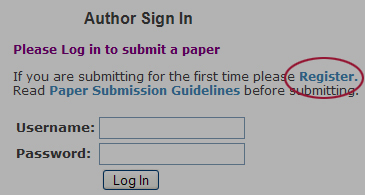
Which will take you to the Author Sign Up page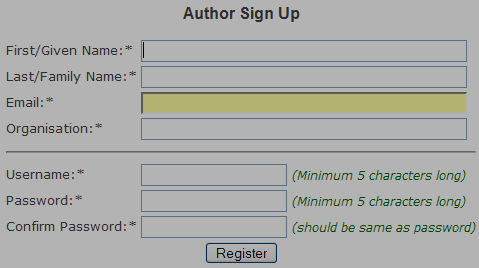
After you register, a link to activate your account will be send to the email address you provide on the form. The email will be send immediately. (In case you don't receive an email with the activation link within 24hrs, please let us know by posting a message to)
Clicking on the link on your email will activate your account, after which you can Sign In and submit your paper.Date:
January 5-9, 2009
Venue:
Homi Bhabha Centre for Science Education
Tata Institute of Fundamental Research
Mumbai, India